Model Context Protocol (Anthropic) - Official Protocol & Ecosystem
What is the Anthropic MCP?
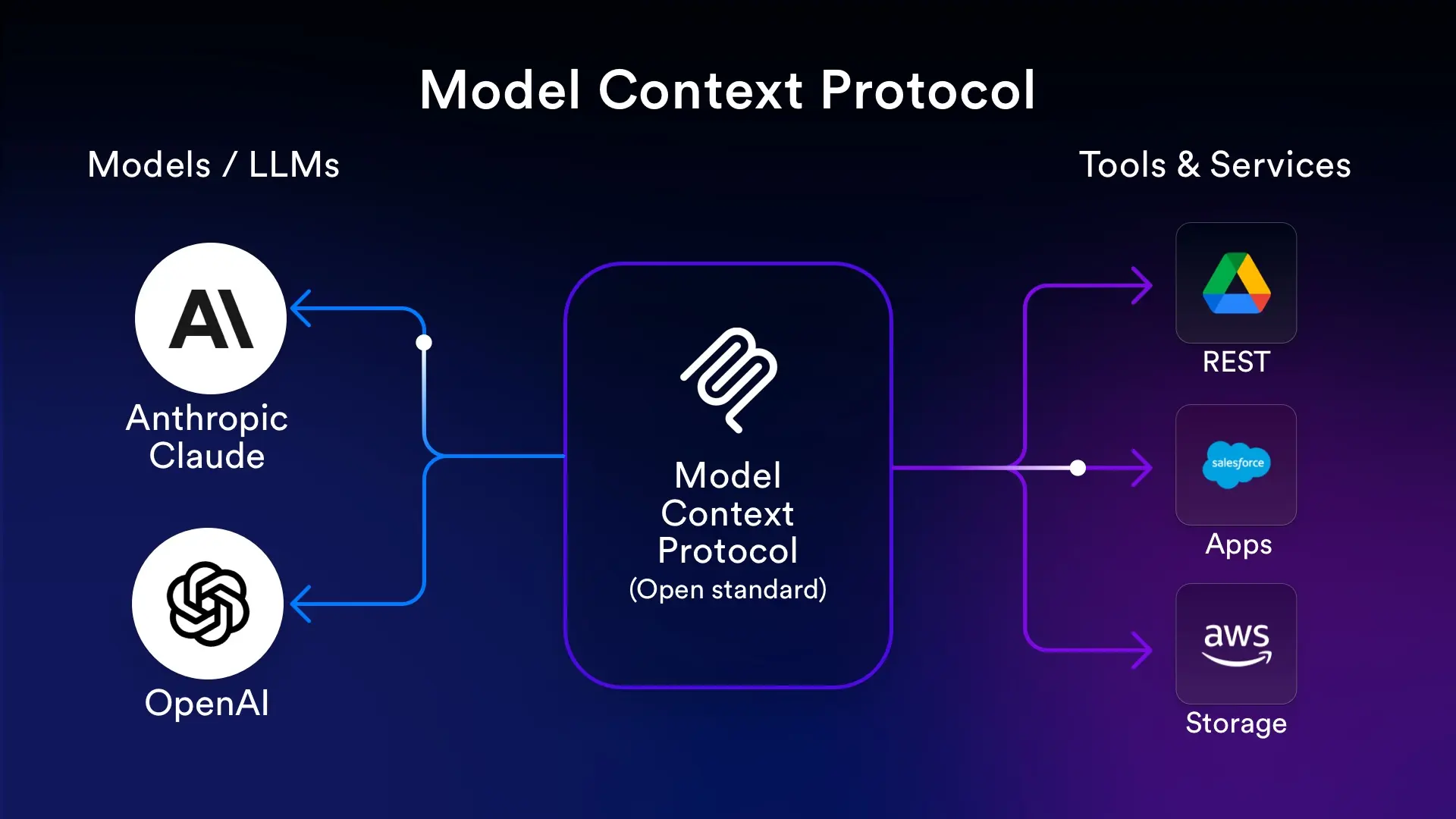
The Model Context Protocol (MCP) as defined by Anthropic is a standardized client–server protocol and runtime ecosystem for connecting AI applications to external tools, data sources, and prompts. It is not an architectural pattern for designing agents; it is the concrete protocol and specification that enables applications like Claude, Cursor, and other MCP clients to discover and use Resources, Tools, and Prompts exposed by MCP servers.
For the four-layer architectural pattern (Model, Context, Tools, Control Plane) sometimes referred to as MCP-style design, see our dedicated article on the Model Context Protocol as an architectural pattern.
Core Concepts
- MCP Server – A process or service that exposes Resources (e.g. files, databases), Tools (e.g. search, API calls), and Prompts (templates) to clients. Servers are identified by name and can run locally or remotely.
- MCP Client – An application (e.g. Claude Desktop, Cursor, or a custom app) that connects to one or more MCP servers, discovers what they offer, and invokes Tools or reads Resources to provide context to the model.
- Resources – Data or content the server exposes (e.g. documents, API results). The client can read them and pass them as context to the LLM.
- Tools – Callable actions the server implements (e.g. web search, code execution). The client invokes them and feeds results back to the model.
- Prompts – Reusable prompt templates the server provides so the client can build consistent, structured prompts for the model.
How It Works
The client establishes a connection to an MCP server (e.g. via stdio, HTTP, or another transport). It then requests the list of available Resources, Tools, and Prompts. When the user or the model needs external data or an action, the client calls the appropriate Tool or reads a Resource, and the result is passed into the model’s context. This keeps the model’s context dynamic and grounded in real-time data and tools without hard-coding them into the application.
MCP Ecosystem (mcp.so)
mcp.so is a community hub and directory for ready-to-use MCP servers and clients that follow the Model Context Protocol as defined by Anthropic. It does not refer to the architectural pattern; it refers to the runtime protocol and ecosystem for actual tool and resource usage by Claude and other LLMs. You can discover, share, and integrate MCP servers for search, databases, APIs, and more.
MCP on GitHub
The Model Context Protocol is developed as an open source project on GitHub. The organization hosts the protocol specification and documentation, official SDKs (TypeScript, Python, Go, C#, Kotlin, Java, Rust, Swift, PHP, Ruby), a curated list of maintained servers, the MCP Inspector for testing servers, and authorization extensions. The project is hosted by The Linux Foundation and is open to contributions from the community. Documentation, specification, and SDKs are the central place to start building MCP servers and clients.
JavaScript Code Example
Minimal MCP server using the official SDK from GitHub. It exposes a single tool and runs over stdio:
import { Server } from "@modelcontextprotocol/sdk/server/index.js";
import { StdioServerTransport } from "@modelcontextprotocol/sdk/server/stdio.js";

const server = new Server({ name: "example-mcp-server", version: "1.0.0" });

server.tool(
  "greet",
  "Returns a greeting",
  { name: { type: "string", description: "Name" } },
  async ({ name }) => ({
    content: [{ type: "text", text: "Hello, " + name + "!" }]
  })
);

await server.connect(new StdioServerTransport());
Pattern vs Protocol
"Model Context Protocol" is used in two ways: (1) the official protocol (this article)—client–server specification and ecosystem for tools and resources; (2) an architectural pattern—a four-layer design (Model, Context, Tools, Control Plane) for building LLM agents. The protocol enables real integrations (e.g. Claude with your database); the pattern is a design approach for structuring your own agent code. Both can be used together: you can build an agent using the pattern and have it use the MCP protocol to talk to external MCP servers.